Operations with Audit logs
This section describes all operations that a Host user can perform with Audit logs.
View Operation Logs
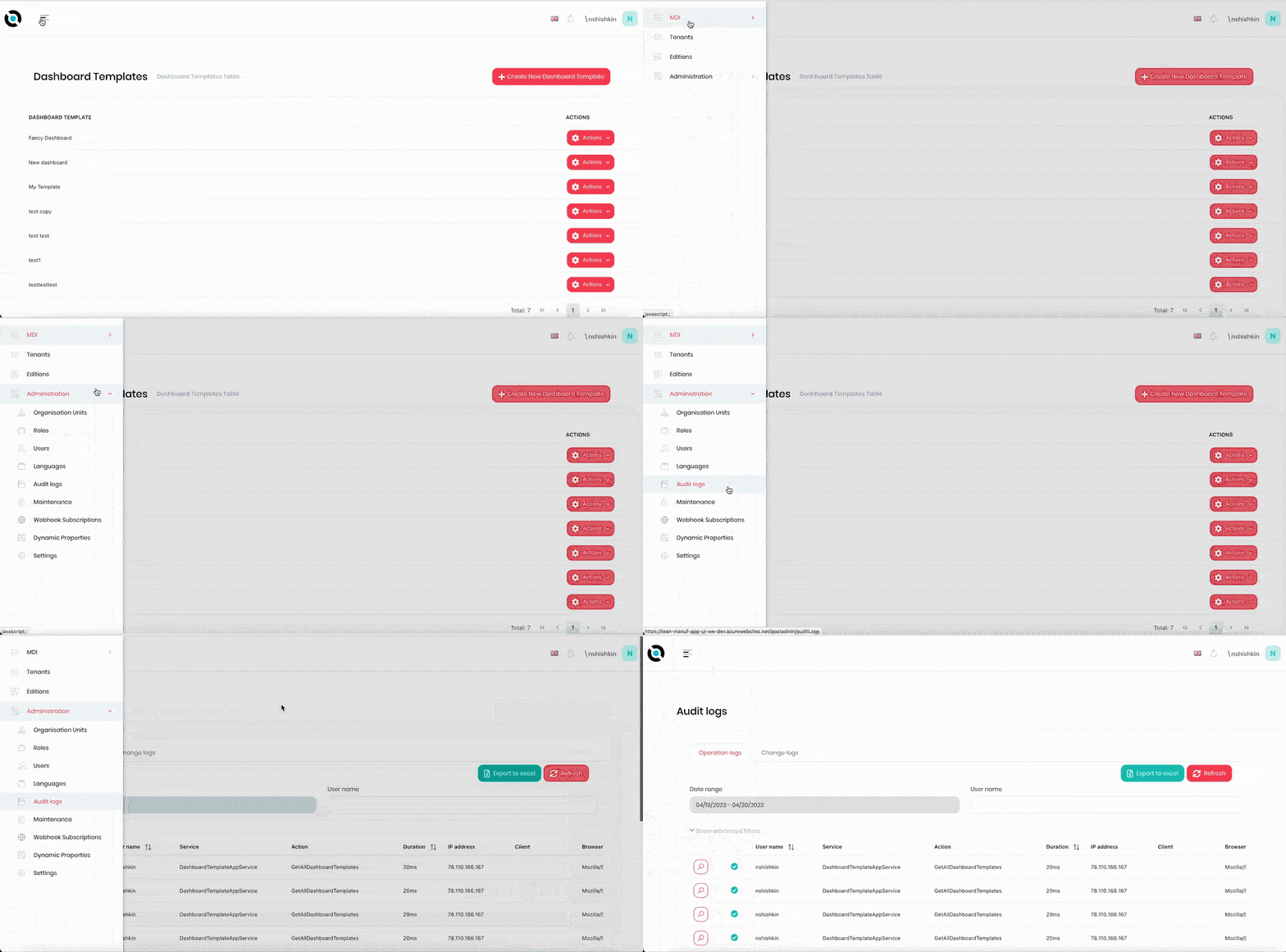
- Click the hamburger menu in the top left corner.
- Select Administration > Audit Logs.
- Select the Operation Logs tab.
- To view details on an operation log, click the magnifying glass icon next to the required log.
- Click Close to close it.
View Change Logs
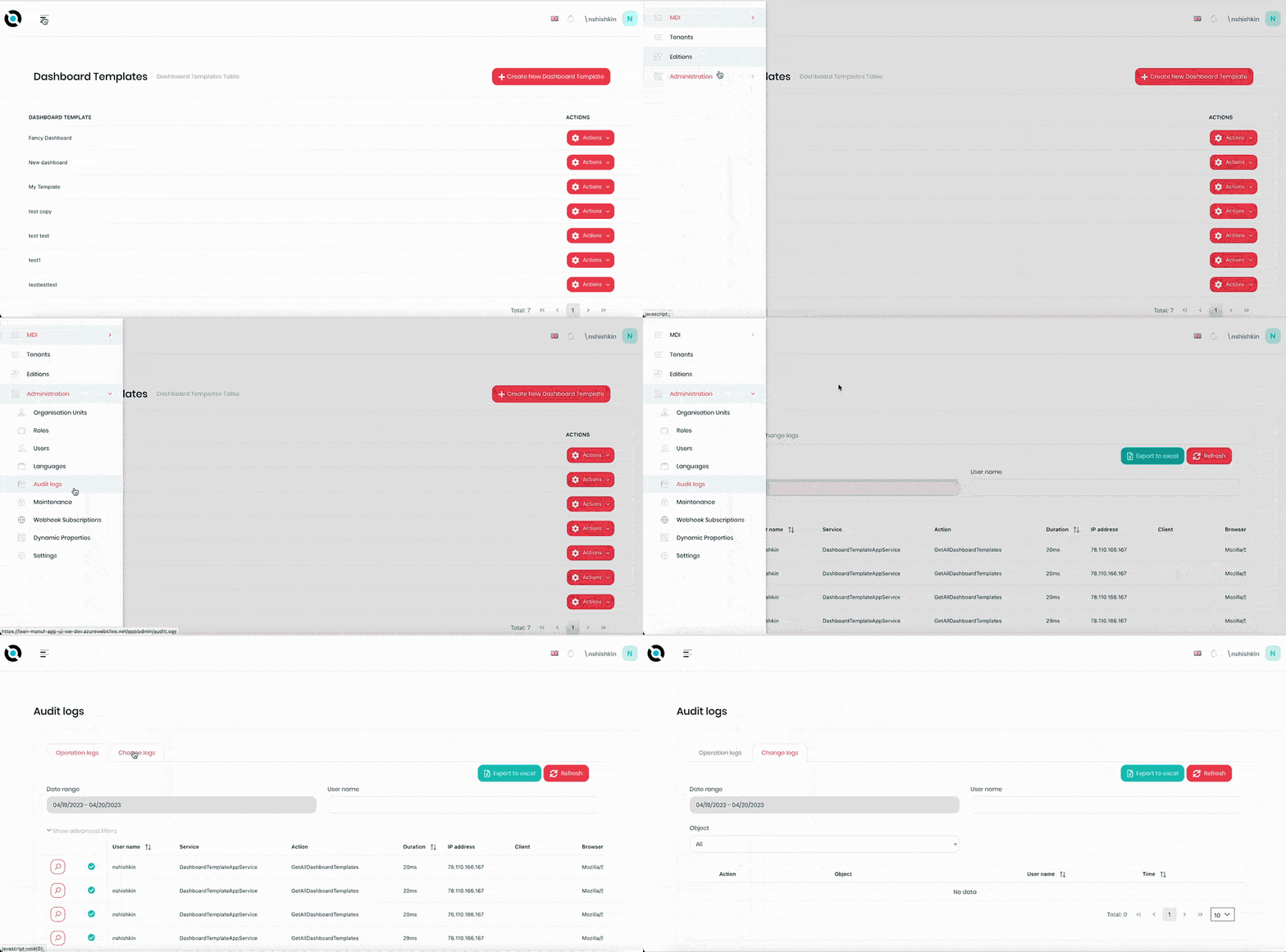
- Click the hamburger menu in the top left corner.
- Select Administration > Audit Logs.
- Select the Change Logs tab.
- To view details on a change log, click the magnifying glass icon next to the required log.
- Click Close to close it.
Filter Operation Logs by Date Range
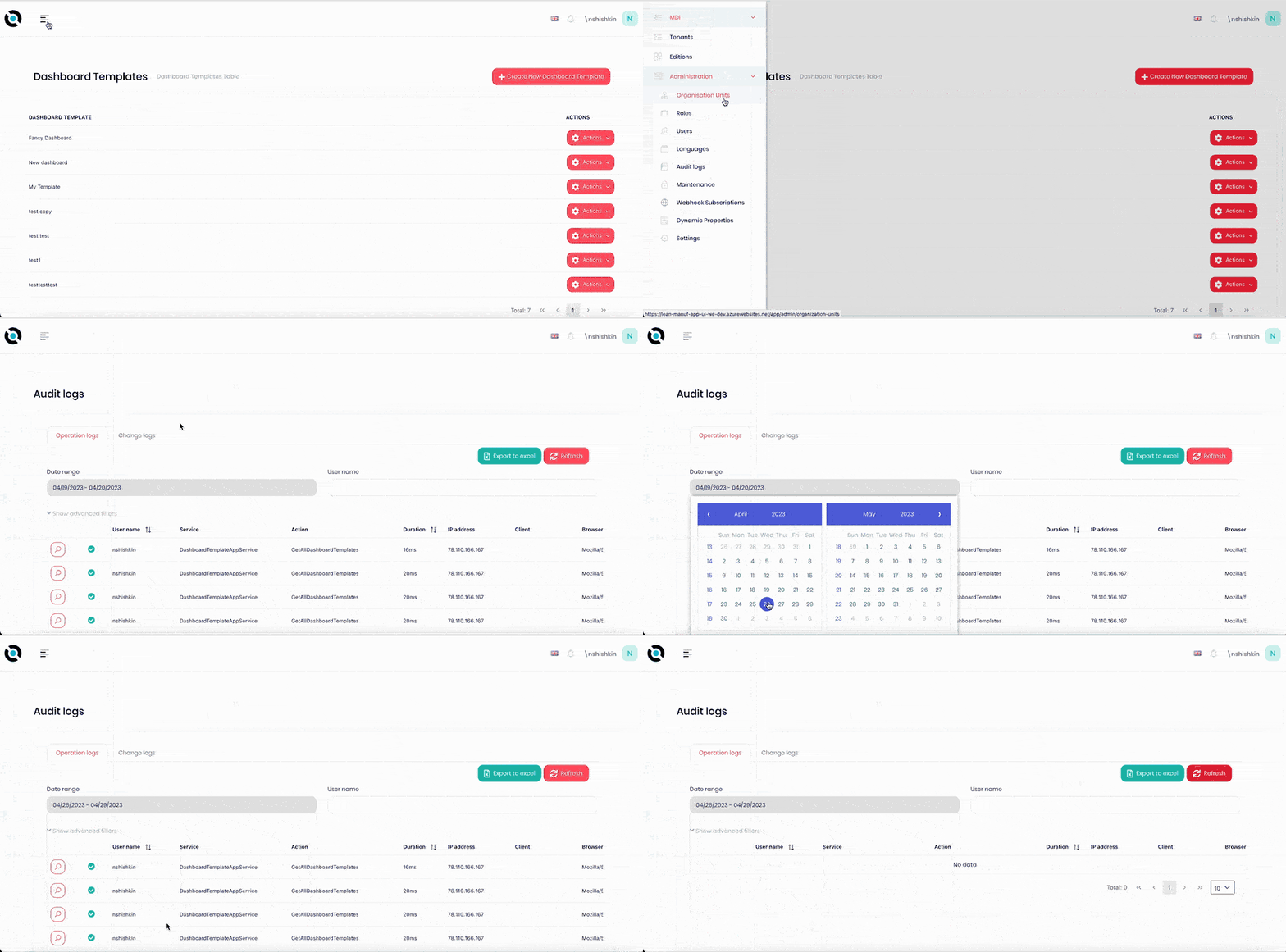
- Click the hamburger menu in the top left corner.
- Select Administration > Audit Logs.
- Select the Operation Logs tab.
- Click the Date Range field.
- Select the required date range from the calendar.
- Click Refresh.
Filter Change Logs by Date Range
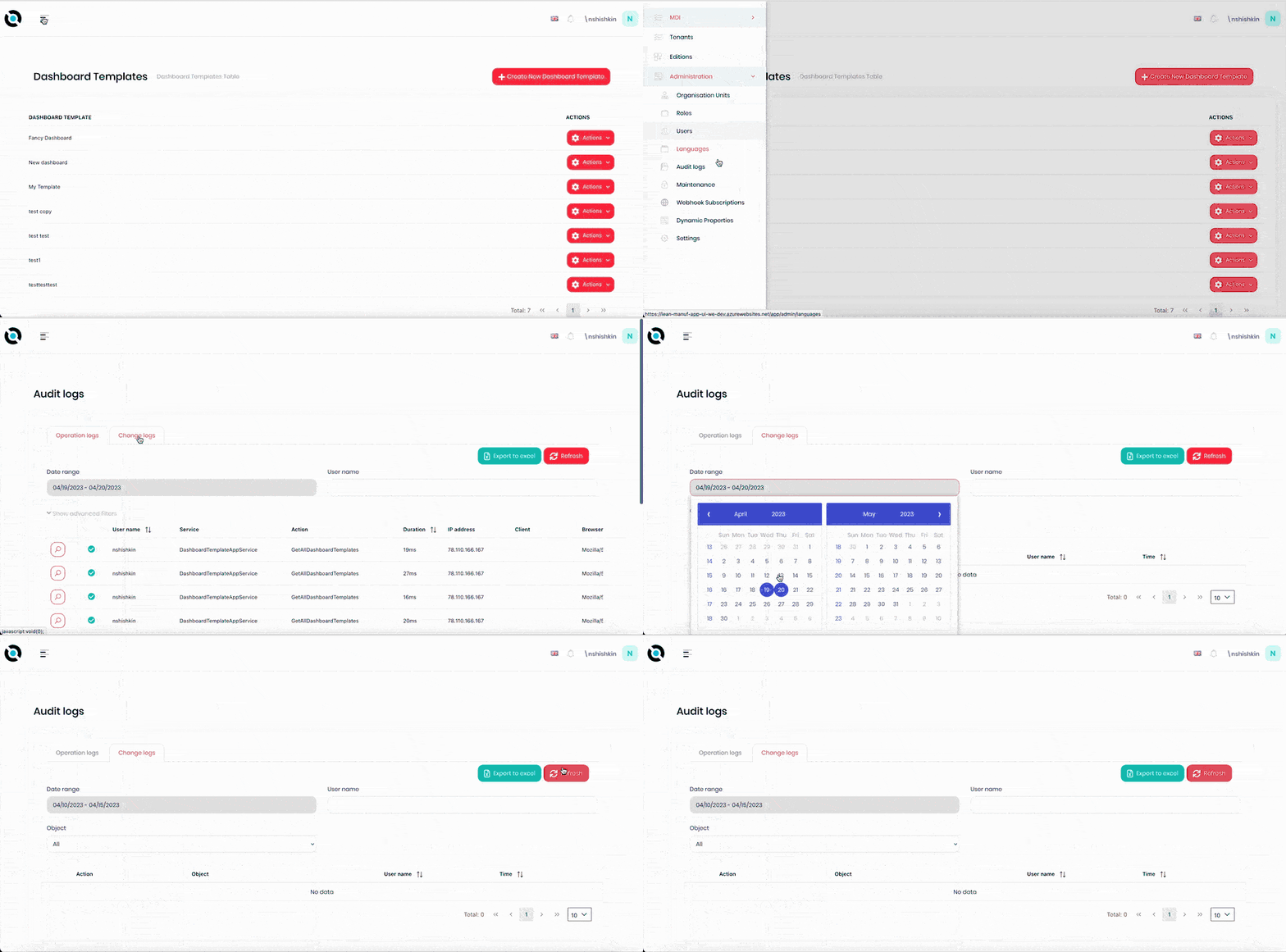
- Click the hamburger menu in the top left corner.
- Select Administration > Audit Logs.
- Select the Change Logs tab.
- Click the Date Range field.
- Select the required date range from the calendar.
- Click Refresh.
Filter Operation Logs by Username
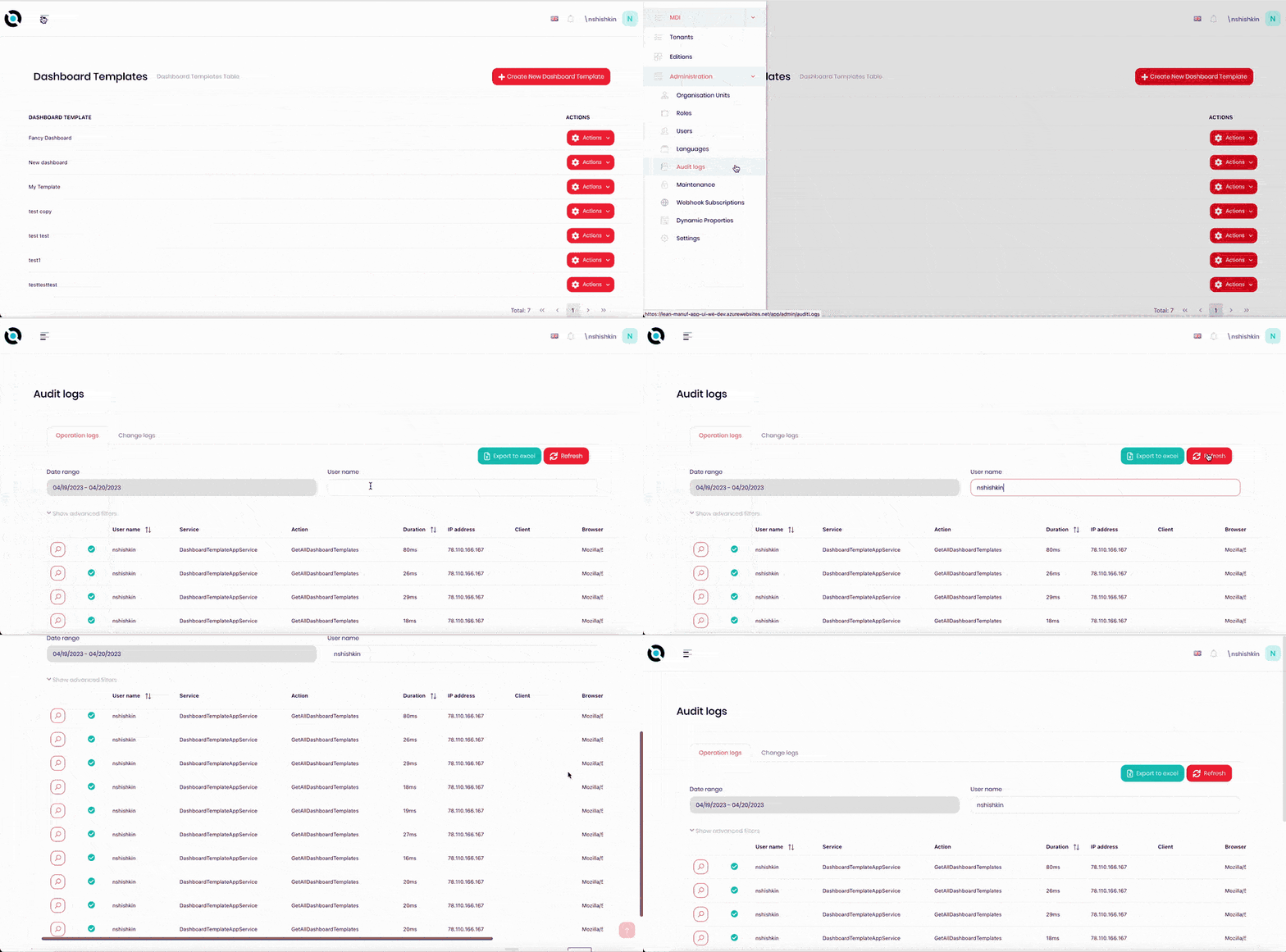
- Click the hamburger menu in the top left corner.
- Select Administration > Audit Logs.
- Select the Operation Logs tab.
- Click the Username field.
- Enter the required username into the field.
- Click Refresh.
Filter Change Logs by Username
- Click the hamburger menu in the top left corner.
- Select Administration > Audit Logs.
- Select the Change Logs tab.
- Click the Username field.
- Enter the required username into the field.
- Click Refresh.
Export Operation Logs to Excel
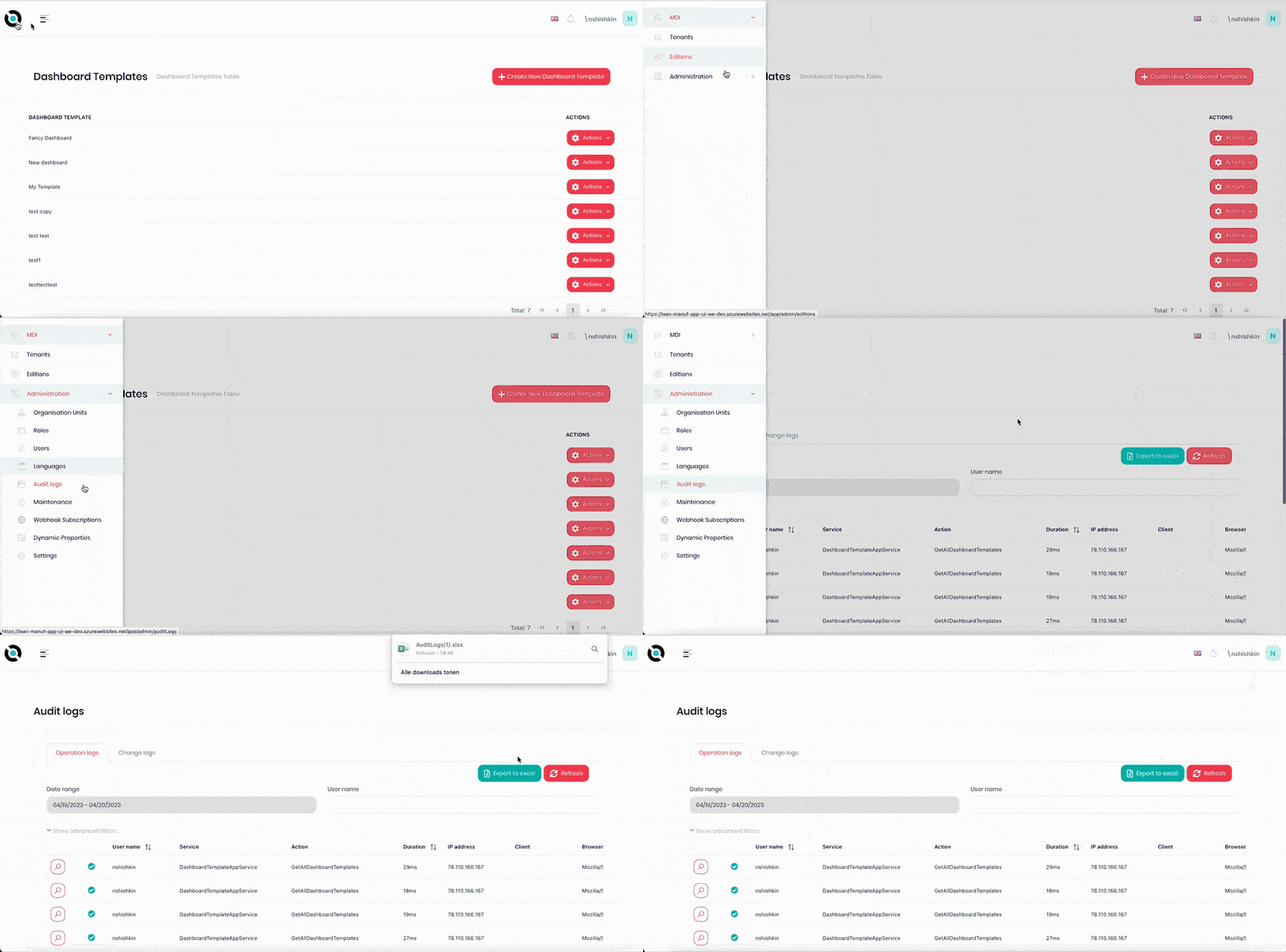
- Click the hamburger menu in the top left corner.
- Select Administration > Audit Logs.
- Select the Operation Logs tab.
- Click Export to Excel.
Export Change Logs to Excel
- Click the hamburger menu in the top left corner.
- Select Administration > Audit Logs.
- Select the Change Logs tab.
- Click Export to Excel.